Auto-Reply to X Comments
1. Install the web extension
Open the Mysta console and install the target web extension from Templates.
Confirm the installation when prompted.
2. Manage installed extensions
Return to the Mysta console to manage everything you have installed.
- Enable or disable the web extension.
- Review or configure the settings (configuration is available while the extension is disabled).
- Uninstall the extension.
- Update when a new version is available.
3. Verify the installation
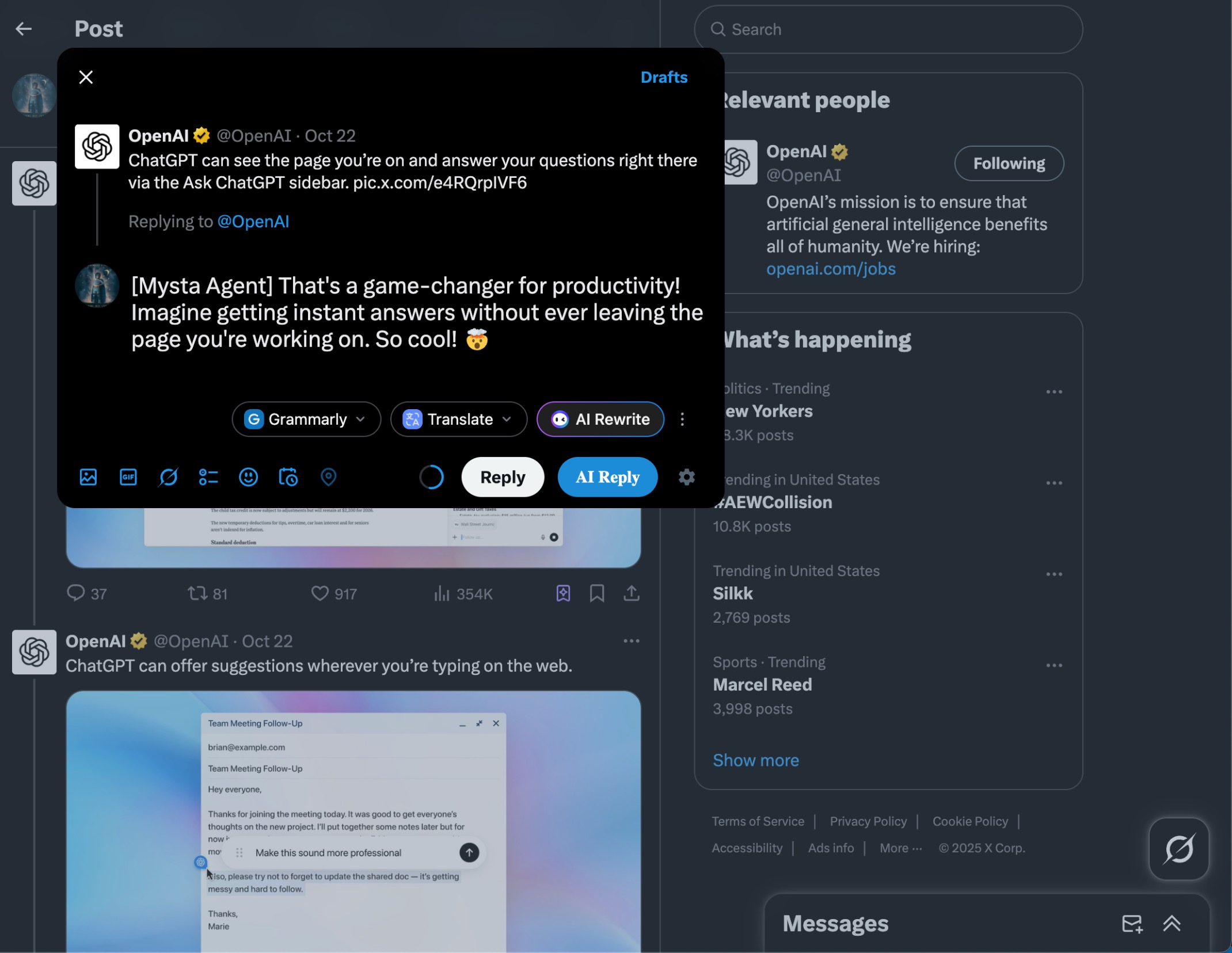
Go to X, click Reply, and confirm the AI Reply button appears.
Hover over AI Reply and click the Settings button to add a prompt tailored to the current site.
Click AI Reply to generate a response that fits the prompt and page context.