Mysta Dashboard Guide
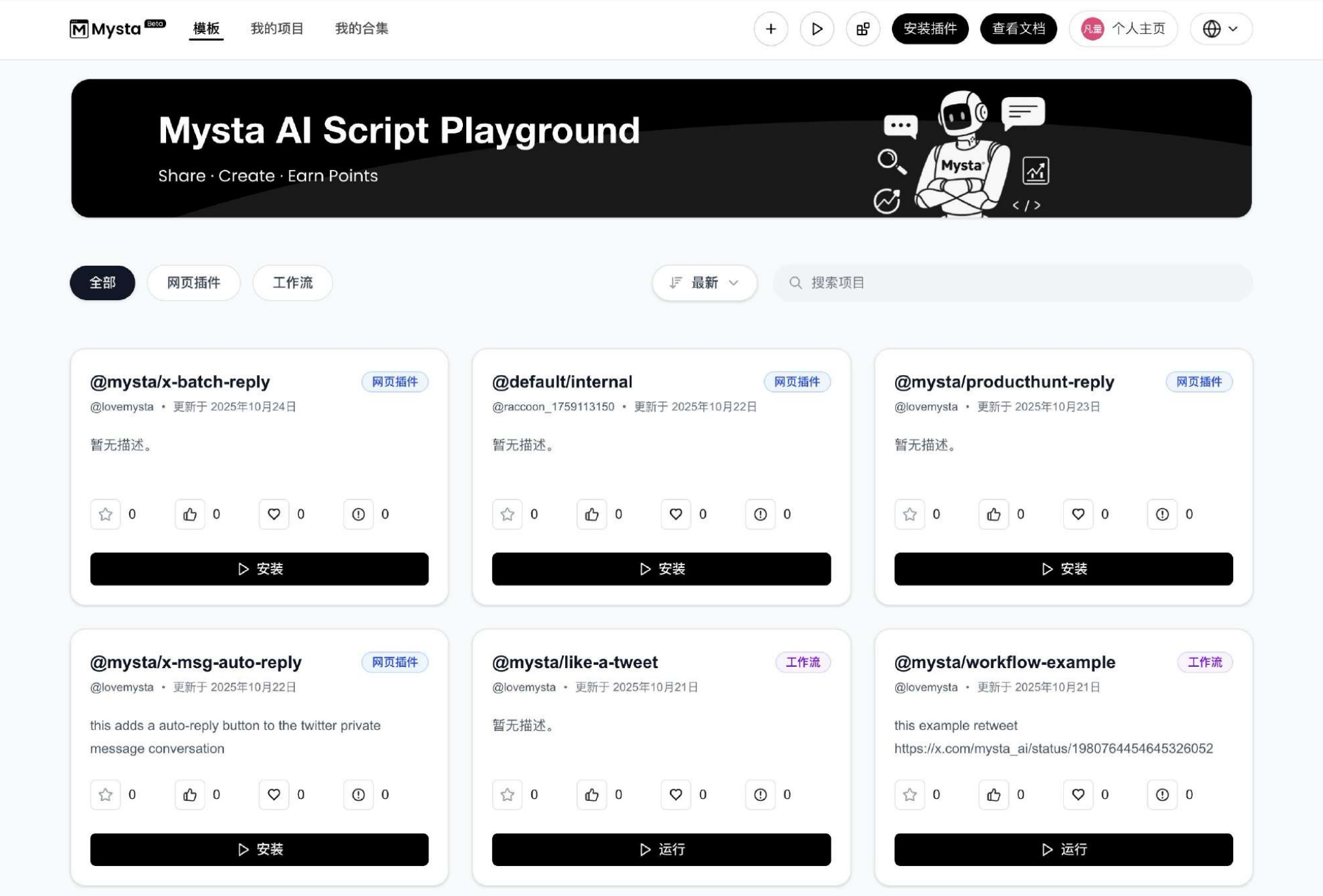
Dashboard Overview
The Mysta dashboard is an open ecosystem for the AI browser, designed to turn the browser into a new medium for AI creation. Once inside the dashboard you can:
- Browse community-contributed web plugins and automation workflows to enrich your browsing experience with AI.
- Install or reuse other creators' work in a single click, adding it to your extension or personal workspace.
- Publish your own plugins and workflows, invite teammates or the community to collaborate, and build your reputation on the platform.
Navigation is organised into All, Web Plugins, and Workflows tabs, with search and sorting controls to quickly locate the capability you need. Selecting a card shows the description, author, last update, and engagement metrics such as favourites and likes.
Three Publishing Modes
Choose the visibility that fits how you intend to share the work:
- Public: available to all Mysta users, ideal for creators who want to share their results broadly.
- Private: visible only to your organisation or selected members, perfect for company or team collaboration.
- Self-deployed: hosted within your own environment so you keep full control while integrating with existing infrastructure.
After selecting a mode you can publish to the dashboard and adjust permissions at any time.
Ecosystem Value
The Mysta dashboard delivers a thriving plugin and workflow ecosystem with these benefits:
- Network effects: every contributed plugin adds a new capability to the shared library.
- Reuse and co-creation: build once and let the community invoke or extend what you made.
- Low-barrier innovation: assemble automation or AI applications quickly, even without coding experience.
- Expandable stack: combine plugins and workflows in layers to unlock exponential reuse and collaboration.
- Front-end compute: logic runs in the user's browser, balancing privacy with cost efficiency.
With the Mysta dashboard you can curate your own browser-based AI creation platform—much like discovering extensions in the Chrome Web Store, chaining automations in Zapier, or publishing AI apps on Hugging Face Spaces.